STEELWELDING ROBOTS Email Honglu
Menu

Honglu · Structural steel automation

Start with Your Workpiece. Then Define the Welding Robot Route.

Honglu offers two engineering directions: a rail-mounted system for building-steel components and a cantilever system for bridge steel and wide planar workpieces. Start with the available workpiece and weld information; drawings or models can follow by email using the Inquiry ID after submission.

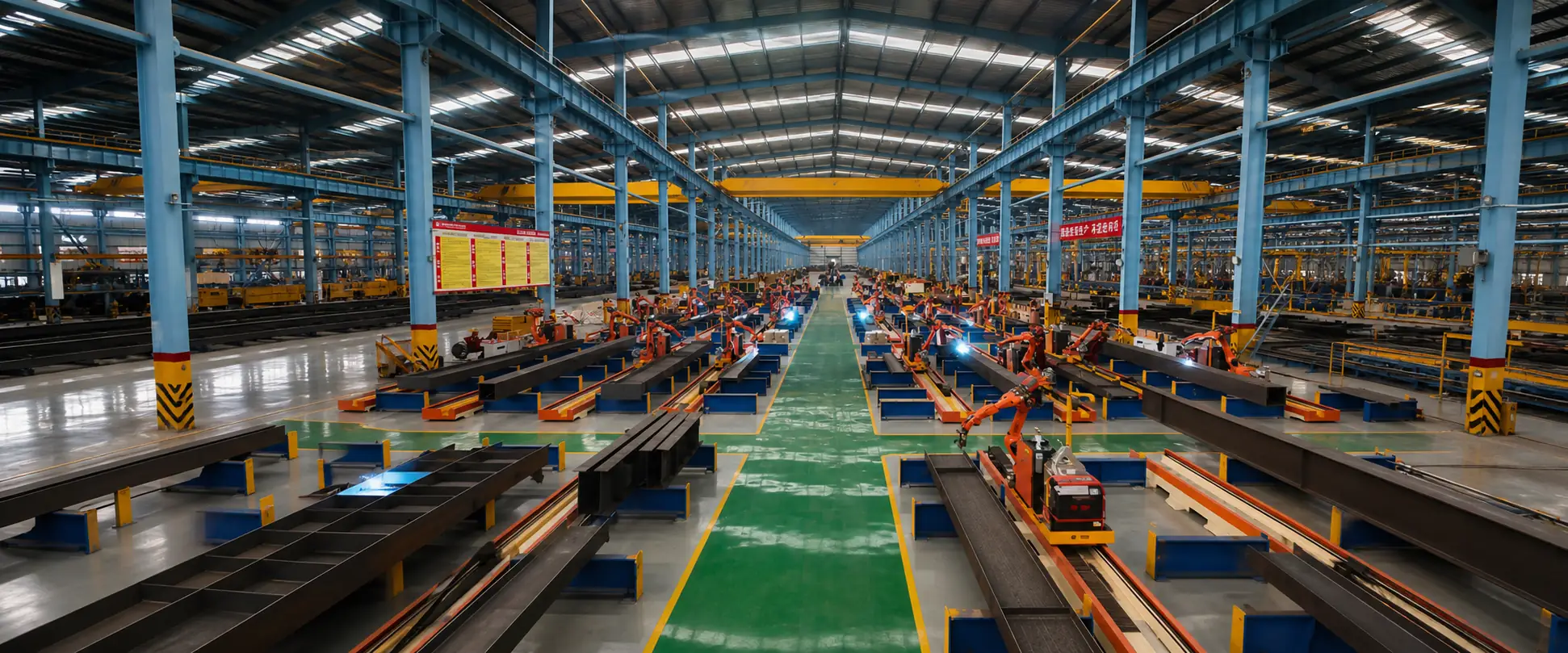
Workshop panorama shown for visual context; actual equipment configuration is project-specific.

Two product directions

Start with the workpiece, not an unverified parameter list

The two routes answer different application questions. Final configuration remains tied to the submitted component, welds and project conditions.

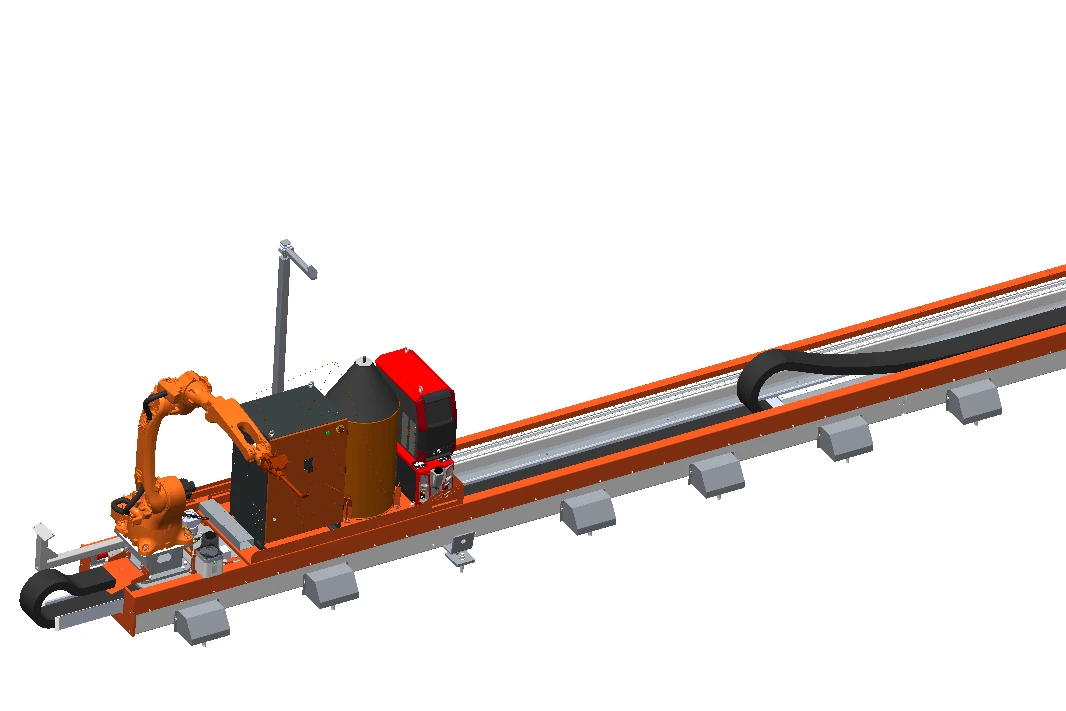
CAD illustration of a seven-axis rail-mounted welding robot direction. CAD illustration

Primary building-steel route

7-Axis Rail-Mounted Welding Robot

A starting point for H-section columns, roof beams, crane beams and other relatively open structural steel workpieces that can be reviewed for geometry and access.

Explore the 7-Axis Robot
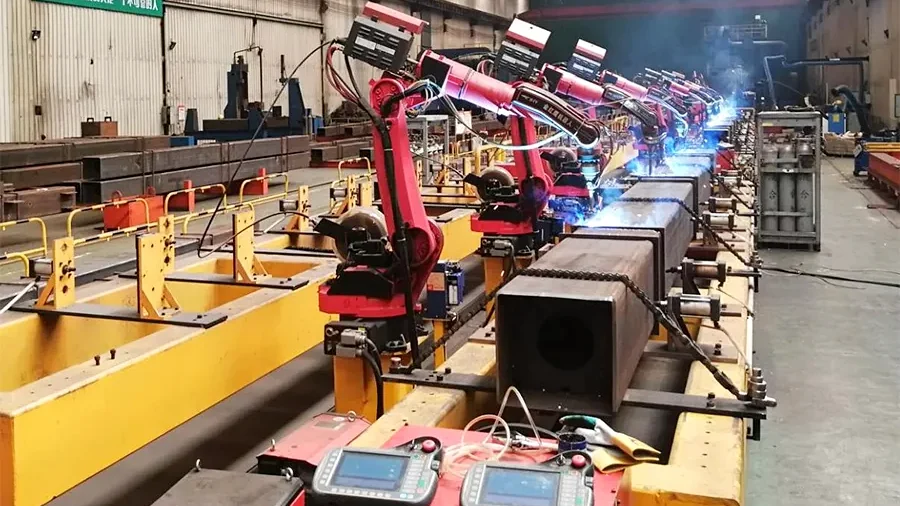
CAD illustration of an eight-axis cantilever welding robot workstation. CAD illustration

Bridge and wide-component route

8-Axis Cantilever Welding Robot

An engineering route for bridge steel, plate-unit diaphragms and other wide planar components, with project-specific review of layout, joints and torch access.

Explore the 8-Axis Robot

Manufacturing context

Built Around Real Structural Steel Production

Honglu has integrated lightweight welding robots and rail-mounted robot workstations into its own structural-steel production environment. That manufacturing context informs project review around real workpieces, weld access and production workflow. Internal production use does not replace project-specific confirmation of geometry, welds, reach, process, safety and site conditions.

Rows of welding robots operating on a structural steel production line in a Honglu factory

Evaluation route

Choose the route by workpiece

A category label is only a starting point. Dimensions, joint geometry, torch access and the available digital data still require review.

01

Building steel

Begin with the seven-axis route for relatively open beam and column workpieces. Review dimensions, joint details, torch access and project data.

02

Bridge and wide planar workpieces

Begin with the eight-axis route. Review the component category, layout, weld positions and torch access.

03

Mixed or unusual workpieces

Describe each workpiece family and the available details so each can be considered on its own conditions.

Workflow review

Three workflow questions

Model-Driven, No-Model and Node-Based routes have different inputs and limits. None is an unlimited programming or welding promise.

  • Model-Driven: Is a usable three-dimensional model (3D model) available, and does it represent the physical workpiece?
  • No-Model: What geometry, visibility and scan conditions need assessment without a supplied model?
  • Node-Based: Which recurring node types may require preparation for the stated application?

Application context

Honglu domestic production-base use

The approved factory image provides industrial context without identifying a specific seven-axis or eight-axis model.

Prepare your request

What to submit for a welding evaluation

A useful first submission lets the engineering team understand the component and intended welds. Drawings or models can follow by email using the Inquiry ID.

  • Overall drawings and local joint details, including dimensions and marked weld locations.
  • A 3D model when one is available and relevant to the intended workflow.
  • Material, plate thickness, joint or seam type and welding-process information.
  • Photos showing the complete workpiece, assembly state and restricted access areas.
  • Current welding method, product mix, target output and known site or integration constraints.

Project evaluation

Start with a representative workpiece

Submit the available workpiece, weld and project information first. Drawings or models can follow by email using the Inquiry ID after submission.

The website inquiry mailbox receives and routes your message. Your inquiry will be reviewed by Honglu’s engineering and commercial teams. Project scope and commitments are confirmed in reviewed project documents and quotations.